One console that feels familiar across your project
From editing an app to protecting a route or scheduling a job, familiar controls make it easier to know where to look and what to do next.
Opening a database shouldn’t feel like learning a different console from the one you use to edit an app. We’ve made the controls, tabs, and resource panels more consistent, so what you learn in one part of Brainpod carries over to the next.
See what’s running and what’s changing
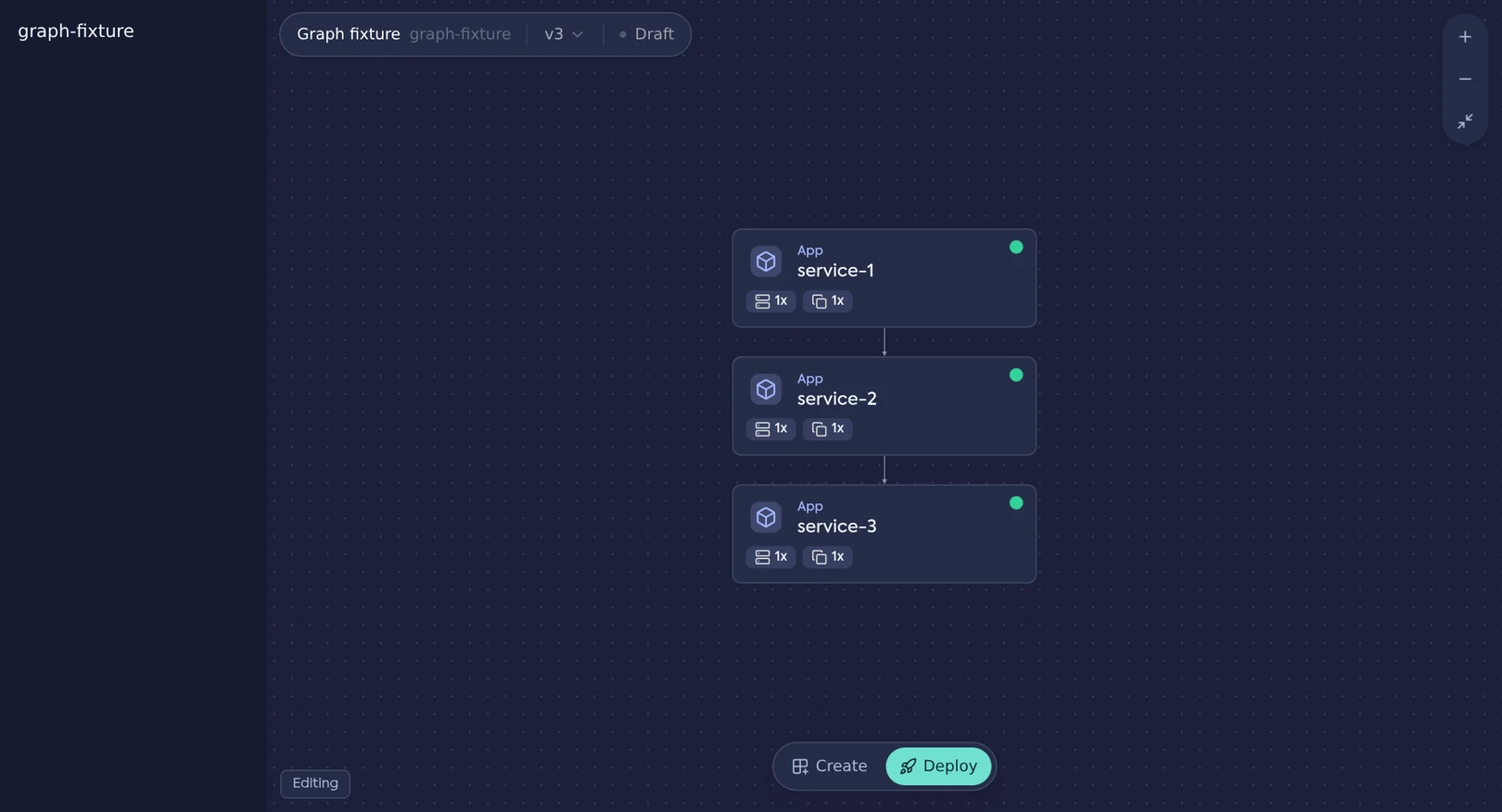
On the canvas, cards put the resource type above its name so you can tell an app from a database at a glance. Select a card to inspect or edit it without losing your place. After you hit Deploy, the cards show which resources are still updating.
Keep an internal app private
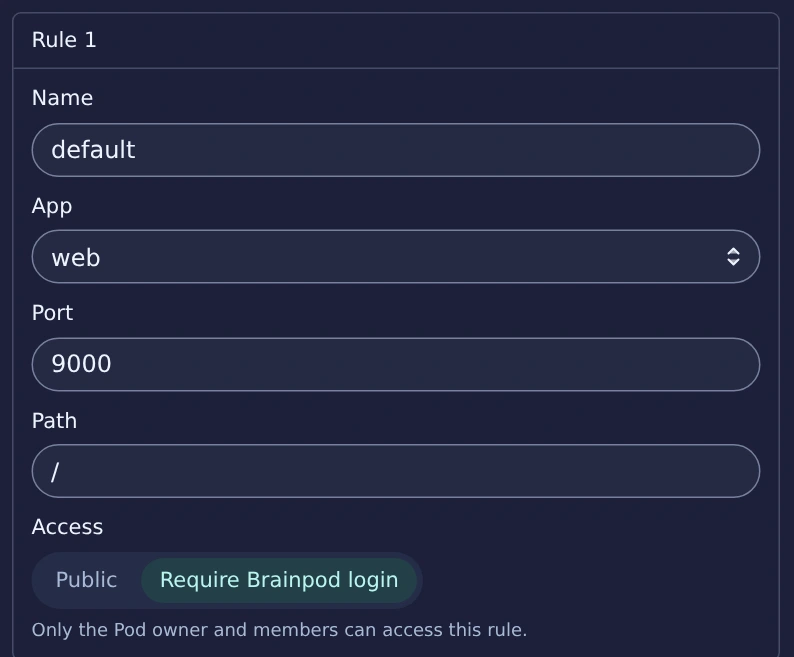
Keep a staging site or internal dashboard private without building a login screen for it. In the Route editor, choose Require Brainpod login under Access for the rule you want to protect, then deploy the change. Only the project’s owner and members can open that rule. Other rules on the same Route can stay public.
You can also create and reference Secrets from an app’s environment settings. Store a credential once, reference it from the apps that need it, and deploy when you’re ready to apply the change. Saved secret values aren’t shown again.
Set a schedule, then check how it went
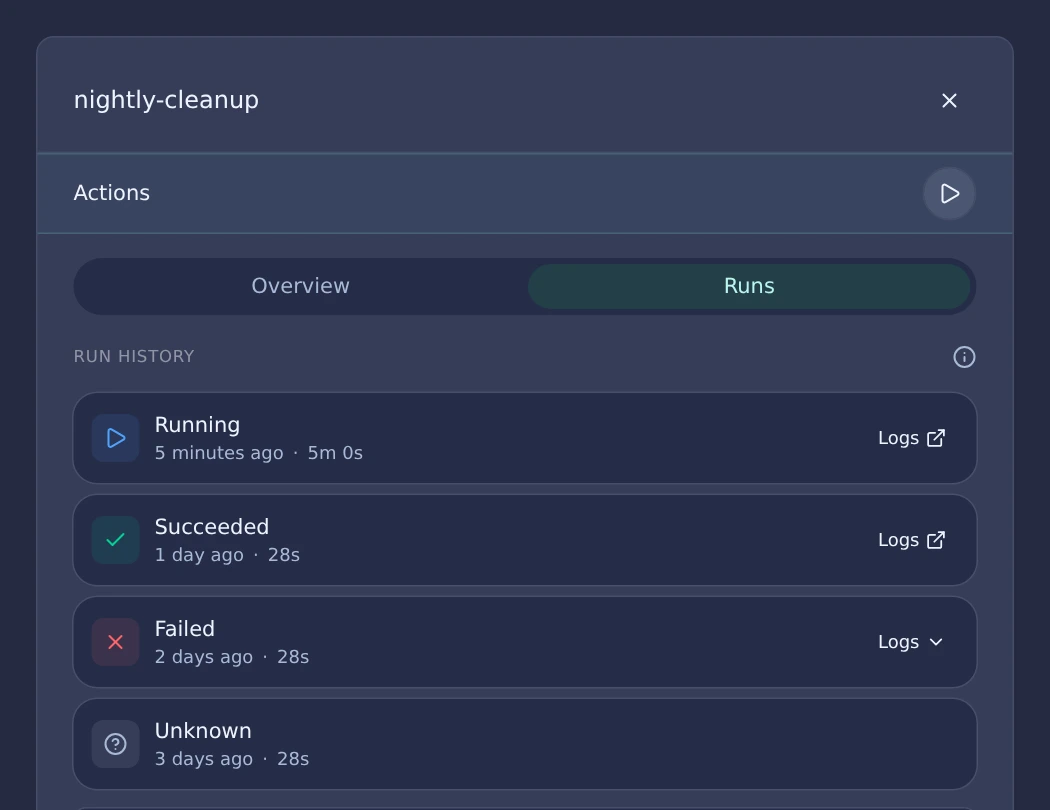
Use a CronJob to run a nightly cleanup, import, or report without keeping an app running just to trigger it. Set a schedule or select Run now to start the job on demand. The Runs tab shows what succeeded or failed and links to available logs.
PostgreSQL and MariaDB backups can also run on a schedule. Once backup storage is ready, open the database’s Backups tab to set a schedule or start a backup manually.
A few smaller improvements
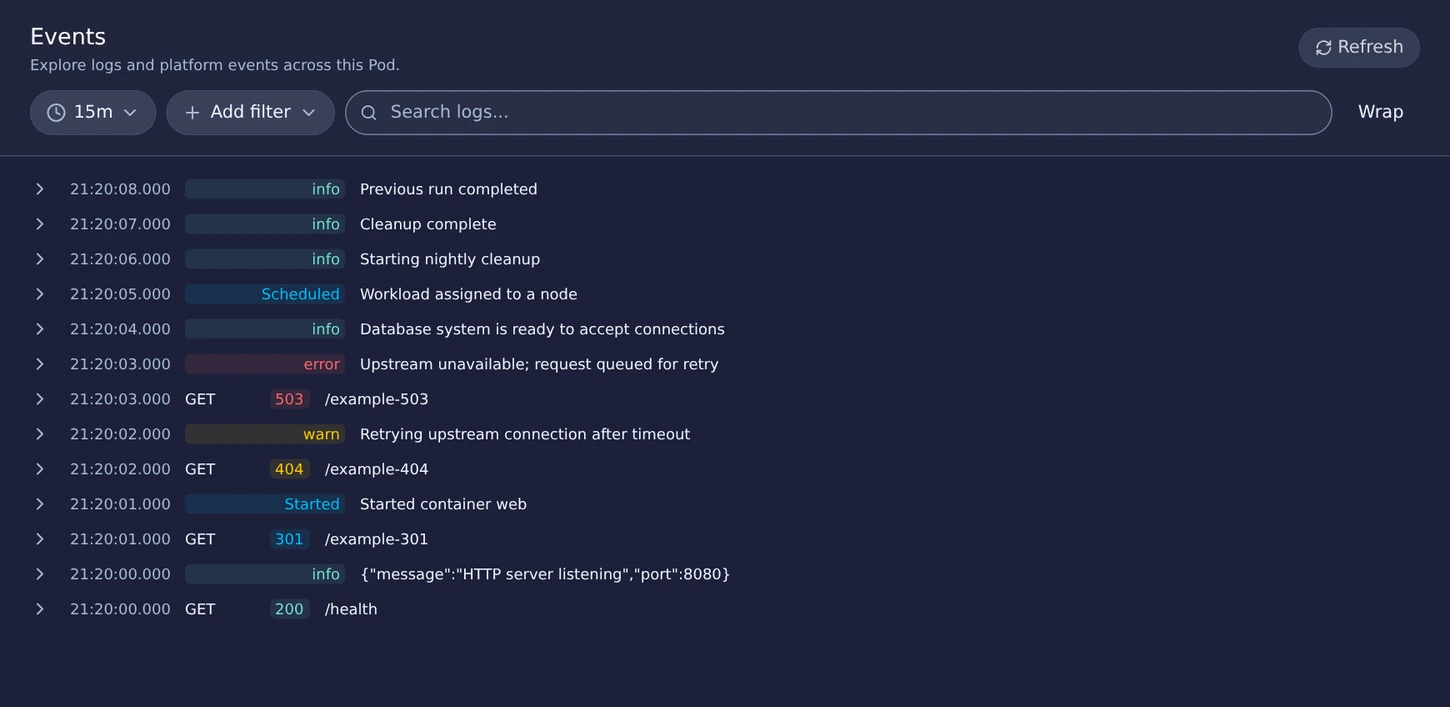
Pod Events now brings app logs, HTTP requests, and platform events together. If something happened around a deploy, search or filter by resource or event type and share the filtered view with a teammate.
- Manual revision rollback: Restore a previous project configuration from Revisions. Deploy it immediately or save it as a draft to review first.
- More PostgreSQL versions: PostgreSQL 17 and 18 are available for new databases.
- Fewer waits when deploying: A deployment can start while generated credentials are still being prepared.
Open the Brainpod console to try the update on your project.